An iOS app builder for your next big idea.

Create an iPhone app without writing code. Design visually with AI, preview on your phone, and prepare your App Store release from the same workspace.

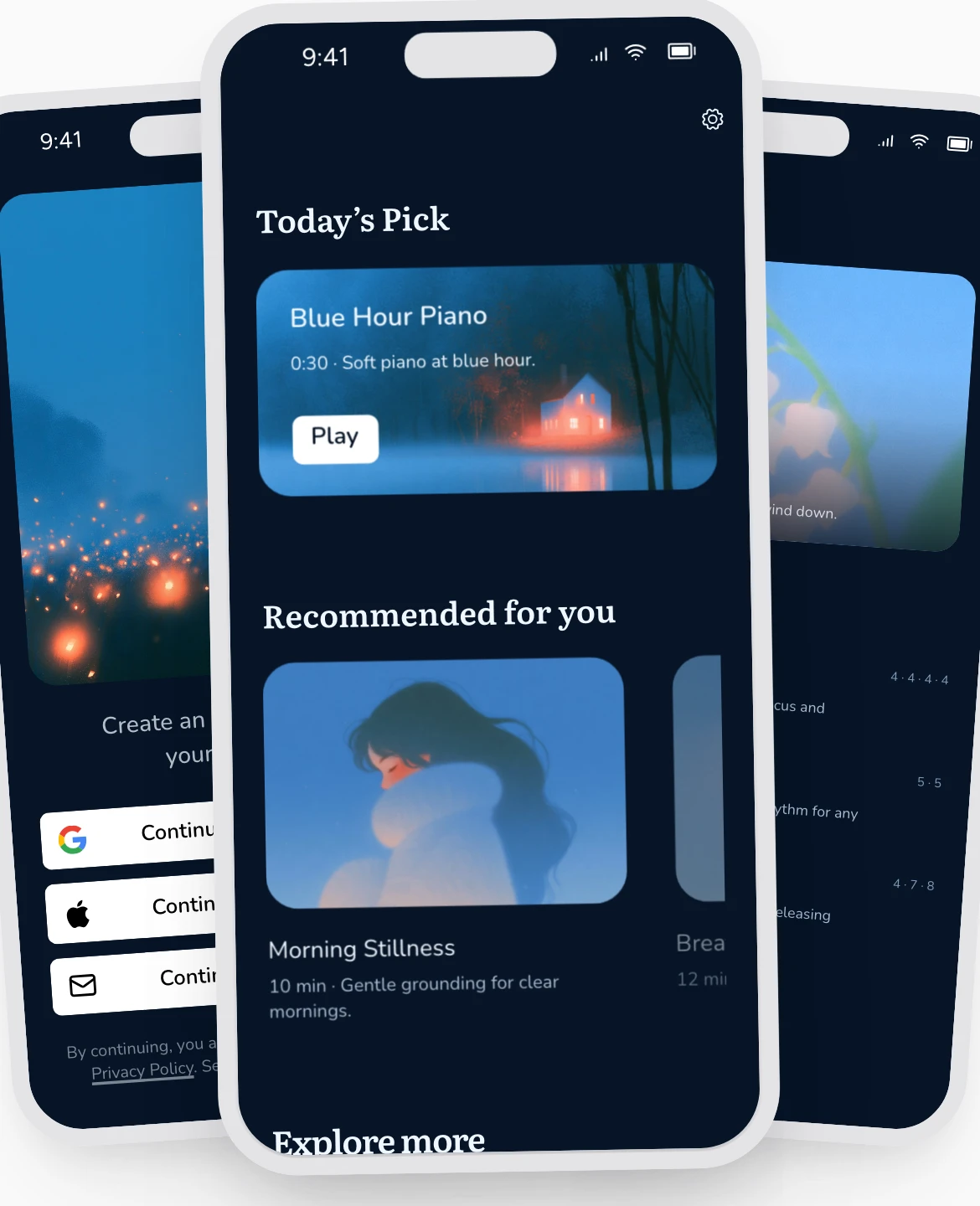
Luna template example built in Rey, showing sign-in, content and breathing screens on iPhone
Luna meditation template showing its audio library and guided sessions

Create an iPhone app without starting from code.

Rey’s iOS app builder brings visual design, AI, data and publishing together. Build the screens your audience needs, connect user accounts and content, and test the complete experience on your iPhone before launch.

Begin with a free app template or create your own layout. The Luna meditation template shown above is one starting point: replace its sample content, change the design, and shape the navigation around your app.

You can work on the interface using Rey’s drag-and-drop app builder, then preview in the Rey mobile app and use TestFlight for pre-release testing. Rey guides you through connecting your Apple developer account and submitting a build.

Apple reviews App Store submissions independently. Read Apple’s submission guidance and App Review Guidelines when preparing your release.

From your first screen to the App Store.

Design in Rey, test on an iPhone, and prepare the information Apple needs to review your app.

01

Design your iPhone app.

Start with a template or AI, then customize screens, typography and navigation on Rey’s visual canvas. Add the content and sign-in flows your app needs.

01

Design your iPhone app.

Start with a template or AI, then customize screens, typography and navigation on Rey’s visual canvas. Add the content and sign-in flows your app needs.

02

Preview on a real device.

Use the Rey mobile app to check your design and interactions on your phone. Walk through onboarding, sign-in and the app’s core journey.

02

Preview on a real device.

Use the Rey mobile app to check your design and interactions on your phone. Walk through onboarding, sign-in and the app’s core journey.

03

Test your release with TestFlight.

Prepare a testing build and invite feedback before release. Check content, account flows and any paid features with the people who will use your app.

03

Test your release with TestFlight.

Prepare a testing build and invite feedback before release. Check content, account flows and any paid features with the people who will use your app.

04

Prepare and submit your listing.

Connect your Apple developer account, prepare your icon, screenshots and listing information, and submit from Rey. Apple decides whether the app is ready for release.

04

Prepare and submit your listing.

Connect your Apple developer account, prepare your icon, screenshots and listing information, and submit from Rey. Apple decides whether the app is ready for release.

An app you can test before you launch.

An attractive screen is a starting point. Preview your iPhone app as you build, then test the complete journey: creating an account, finding content, completing an action and returning to the app later.

Use TestFlight to collect pre-release feedback. Testing gives you a chance to find confusing navigation, missing content and broken flows before your App Store audience encounters them.

Prepare for Apple’s review.

Your App Store release needs more than an app build. Plan your app name, icon, description, screenshots and privacy information. If reviewers need access to signed-in content, prepare the information they need to evaluate the experience.

Rey handles the build and submission workflow without requiring you to set up your own Xcode deployment pipeline. You remain responsible for the content, account configuration and information you submit to Apple. Approval and review timing are determined by Apple.

Plan your publishing and subscription costs.

You can start designing your iPhone app on Rey’s Free plan. Publishing to iOS requires Rey Pro and your own Apple Developer Program membership. Keep those costs separate when planning your launch budget.

If your app offers premium content, Rey Pro includes paywalls with RevenueCat. Review Rey’s pricing and Apple’s developer membership information for current details and fees.

Building for both stores? Explore the Android app builder. You can also start with Luna’s meditation template or plan a language learning app.

iOS app builder FAQs.

01

What is an iOS app builder?

An iOS app builder helps you create apps for iPhones. Rey lets you design visually with AI, connect data and user accounts, preview on a phone, and prepare a build for App Store submission without writing code.

01

What is an iOS app builder?

An iOS app builder helps you create apps for iPhones. Rey lets you design visually with AI, connect data and user accounts, preview on a phone, and prepare a build for App Store submission without writing code.

02

Do I need Xcode to publish with Rey?

02

Do I need Xcode to publish with Rey?

03

Can I test my app before publishing?

03

Can I test my app before publishing?

04

Do I need an Apple developer account?

04

Do I need an Apple developer account?

05

Can I add subscriptions to my iPhone app?

05

Can I add subscriptions to my iPhone app?

06

Can the same project also become an Android app?

06

Can the same project also become an Android app?

BUILT WITH REY

What our users say

What our users say

As a solo founder building EDGE, an emotionally intelligent AI app, I needed more than drag-and-drop features. With Rey, I’ve been able to shape a deeply personalized and privacy-first user experience without a dev team.

Rachael

Founder, Edge

As a solo founder building EDGE, an emotionally intelligent AI app, I needed more than drag-and-drop features. With Rey, I’ve been able to shape a deeply personalized and privacy-first user experience without a dev team.

Rachael

Founder, Edge

Building with Rey has been an absolute game-changer. We created a polished, fast and truly-production ready app without writing a single line of code.

Tobias

Founder, Recharge

Building with Rey has been an absolute game-changer. We created a polished, fast and truly-production ready app without writing a single line of code.

Tobias

Founder, Recharge

I’m genuinely excited about what a tool like Rey could mean for the future of femtech, and for every so-called “niche” space that’s been underserved for too long.

Sandra

Founder, Lume

I’m genuinely excited about what a tool like Rey could mean for the future of femtech, and for every so-called “niche” space that’s been underserved for too long.

Sandra

Founder, Lume