Mobile app design: find inspiration for your app.

Mobile app design: find inspiration for your app.

Explore app screens, understand the choices behind them, and find an approach you can adapt to your idea.

Mobile app design examples

Mobile app design examples

Start with the task your app needs to support. These four Rey templates show different approaches to common screens, from onboarding to browsing and daily check-ins.

Luna meditation app template showing sign-in, an audio library and breathing exercises

Luna

Finding an audio session

SCREENS TO STUDY

Sign-in, audio library, breathing

WHAT TO NOTICE

A featured session gives someone a place to start. Smaller cards make more sessions discoverable.

TRY IN YOUR OWN APP

Decide what deserves attention first, then group the remaining options into clear collections.
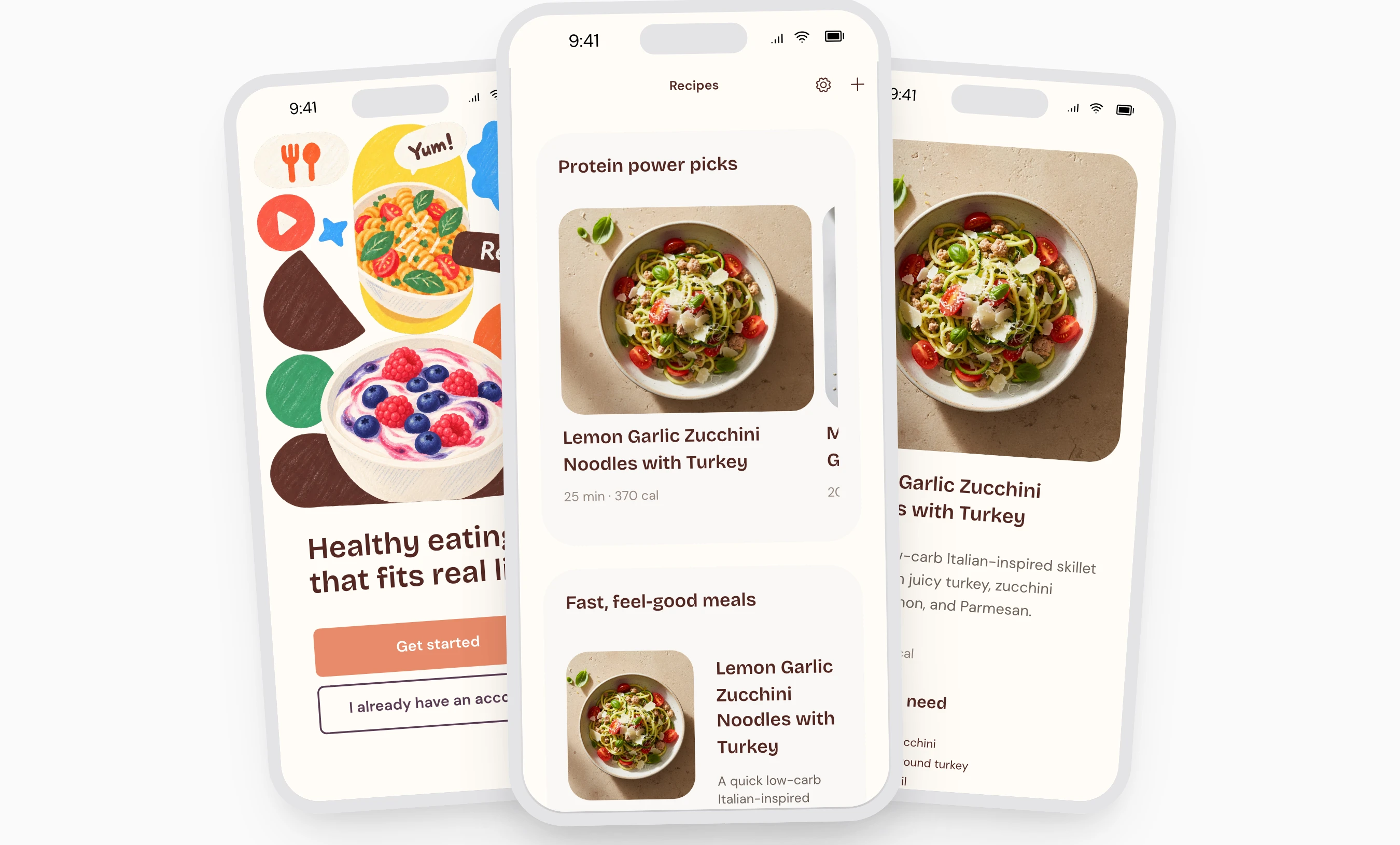
Sundae recipe app template showing a colorful welcome screen, recipe collections and a recipe detail page

Sundae

Browsing and choosing a recipe

SCREENS TO STUDY

Welcome, recipe collection, detail

WHAT TO NOTICE

Photos help people recognize dishes. The detail screen gives ingredients and instructions their own space.

TRY IN YOUR OWN APP

Separate what people need to choose an item from what they need to use it.

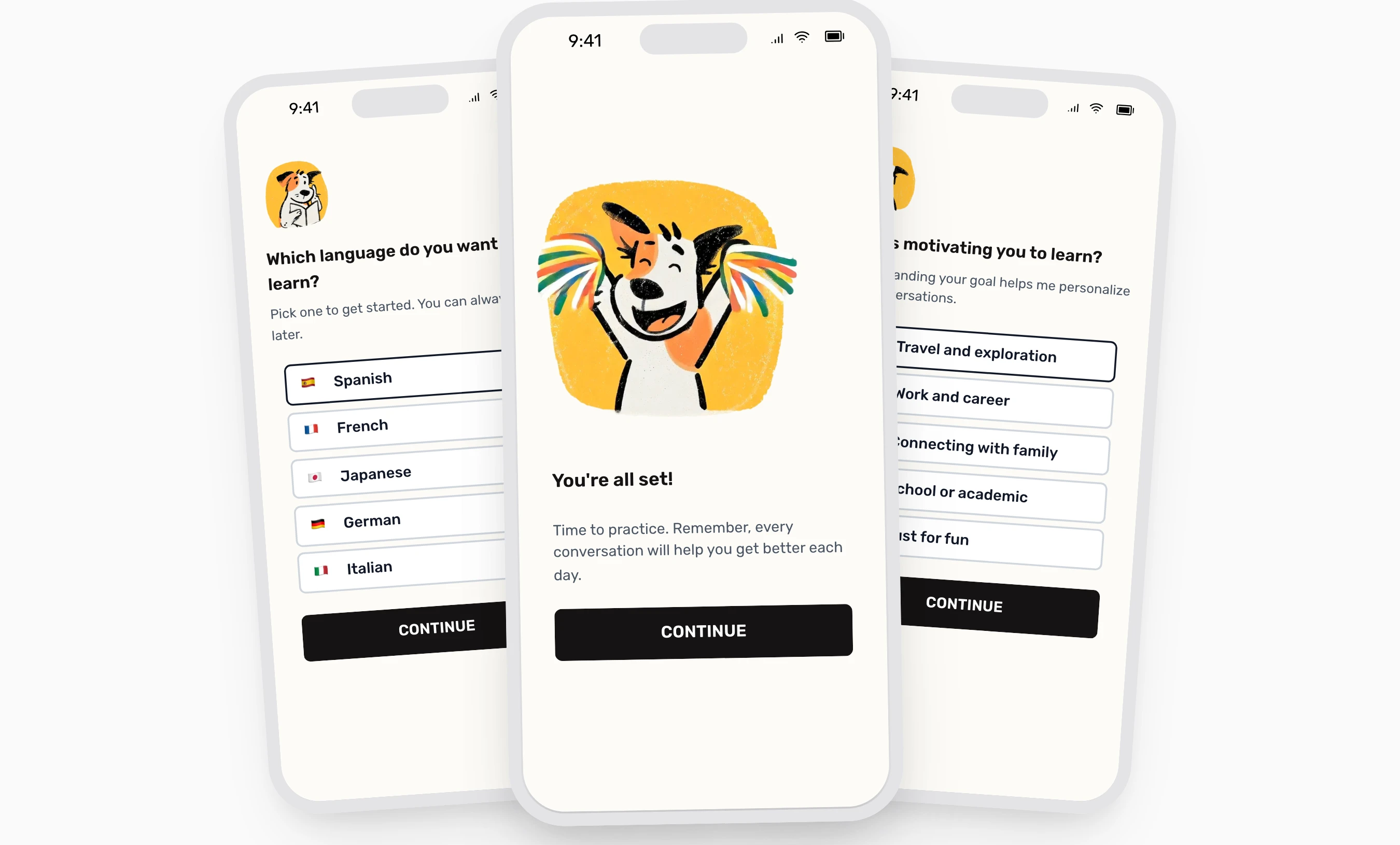
Elio language learning app template showing language selection, learner motivation questions and a mascot welcome screen

Elio

Guiding a new user

SCREENS TO STUDY

Language selection, motivation, onboarding completion

WHAT TO NOTICE

Each question has clear choices. A completion screen marks the end of the setup experience.

TRY IN YOUR OWN APP

Keep setup questions relevant to the first useful experience. Remove questions you can ask later.

Cadence journaling app template showing account entry, a daily reflection overview and a guided check-in screen

Cadence

Supporting a daily check-in

SCREENS TO STUDY

Account entry, daily overview, guided check-in

WHAT TO NOTICE

The overview presents progress, while the check-in provides a focused space for reflection.

TRY IN YOUR OWN APP

Give a recurring task its own clear entry point. Keep supporting information easy to explore.

What to look for in an app design

What to look for in an app design

Use Luna’s library screen as a practical example.

Luna app design showing sign-in, a featured audio library, and breathing exercises

01

A clear starting point

Notice the featured session. Can someone quickly identify the main action in your app?

02

Information grouped by purpose

Keep artwork, titles, and details together so each option is easy to understand.

03

Readability on a real phone

Check the actual text size, contrast, and controls. Test more than the screenshot.

Choosing a starting point

TASK OR EXPERIENCE

SCREENS TO STUDY

Finding an audio session

Luna

Sign-in, audio library, breathing

Browsing and choosing a recipe

Sundae

Welcome, recipe collection, detail

Guiding a new user

Elio

Language selection, motivation, onboarding completion

Supporting a daily check-in

Cadence

Account entry, daily overview, guided check-in

How to start designing your app

How to start designing your app

Begin with one useful journey. Work out what each screen needs to do, then refine how it looks and feels.

01

Pick one main task

Describe what someone should accomplish. “Find something to cook” is a useful starting task.

01

Pick one main task

Describe what someone should accomplish. “Find something to cook” is a useful starting task.

02

Sketch the journey

List the screens needed to complete that task. Work out the navigation before polishing the visuals.

02

Sketch the journey

List the screens needed to complete that task. Work out the navigation before polishing the visuals.

03

Test the basics

Ask someone to try the journey. Watch where they pause or need an explanation.

03

Test the basics

Ask someone to try the journey. Watch where they pause or need an explanation.

Example: open a recipe collection, choose a dish, then follow the instructions.

An example of adapting app screens in Rey.

Common design questions

Common design questions

01

What is mobile app design?

01

What is mobile app design?

02

What’s the difference between UI and UX design?

02

What’s the difference between UI and UX design?

03

How can I design my first mobile app?

03

How can I design my first mobile app?

04

Should I start with wireframes or a template?

04

Should I start with wireframes or a template?

05

Which screens should a mobile app include?

05

Which screens should a mobile app include?

06

How do I design mobile app onboarding?

06

How do I design mobile app onboarding?

07

How do I choose navigation for my app?

07

How do I choose navigation for my app?

08

How should I choose colors and fonts for an app?

08

How should I choose colors and fonts for an app?

09

How should I approach iOS and Android design?

09

How should I approach iOS and Android design?

10

How can I make my app design more accessible?

10

How can I make my app design more accessible?

11

How do I test an app design before development?

11

How do I test an app design before development?

12

What are common mistakes when designing a first app?

12

What are common mistakes when designing a first app?

Found a direction you like?

Found a direction you like?

Use one of these designs as a starting point and adapt the screens, content, and interactions to your idea.